 Water Purifier
 Fridge On rent
 Geyser on rent
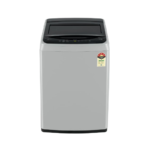 washing machine on rent
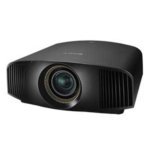 Projector on Rent
 Bed on Rent
 Sofa on Rent
First-Time Renter’s Guide to Water Purifier Rental in Pune Moving into a new flat, PG, or rented home in Pune often means arranging several basic appliances. A water purifier is one of them. While buying a purifier may be suitable for a permanent home, renting can be more convenient when you are staying somewhere temporarily. If you have never rented a water purifier before, you may not know what to check, what questions to ask, or which charges are included. This first-time renter’s guide will help you understand the basics before choosing a water purifier on rent in Pune. Why Consider Renting a Water Purifier? The biggest reason people choose rental appliances is flexibility. You don’t have to pay the complete purchase price of a new purifier at the beginning. This can be useful for students staying in Pune for their studies, professionals living in rented apartments, families who have recently shifted to a new property, or people staying in a home for a short period. When you eventually move, you can return the rental purifier according to the provider’s terms instead of worrying about selling or transporting an appliance. Know Your Water Source First Before selecting a purifier, think about where your household water comes from. Water supplied to homes can have different characteristics depending on the source and local supply. RO, UV and other purification technologies work differently, so one purifier may not be suitable for every situation. When contacting a rental company, explain your water source and ask which available purifier is appropriate. Also ask about the purifier’s model and purification technology rather than relying only on a general advertisement. Understand the Rental Price Properly One of the first questions most renters ask is, “How much does a water purifier cost on rent?” The answer can vary depending on the model, rental period, services, and provider. More importantly, the monthly rent may not always represent the complete cost. Before booking, ask about: Monthly rental Security deposit Installation charges Delivery charges Maintenance Filter replacement Technician visit charges Cancellation or return charges Getting the complete cost beforehand makes it easier to compare rental plans. Ask About the Security Deposit Some rental services require a security deposit before installation. If you are asked to pay one, don’t hesitate to ask how the refund works. Find out when the amount will be returned and under what circumstances deductions can be made. Ideally, the deposit amount and refund conditions should be clearly mentioned in the rental agreement or payment documentation. Check the Purifier at the Time of Delivery If you receive a rental purifier, inspect it before the installation is completed. Check the external condition and look for obvious cracks, leakage, damaged connections, or other visible problems. After installation, make sure water is dispensing correctly and the appliance is functioning normally. If the purifier is pre-owned, you can also ask whether it has been serviced before being delivered. Keeping a few photographs of the purifier when it arrives can be useful for your own records. Find Out Who Handles Maintenance This is something first-time renters often overlook. Like any appliance, a water purifier may require servicing and filter replacement. The responsibility for these services depends on the rental plan. Before confirming your booking, ask: Is regular maintenance included? Are filter replacements included? What happens if the purifier stops working? Will a technician visit be charged separately? How do I raise a service request? Clear answers to these questions can save you from unexpected expenses later. Read the Rental Agreement Carefully A rental agreement may seem like a formality, but it contains important information about your responsibilities. Look for the rental period, payment schedule, security deposit, maintenance terms, cancellation policy, and equipment return process. If you are planning to shift from one Pune location to another, ask whether relocation of the purifier is possible and whether an additional charge applies. Don’t rely only on a salesperson’s verbal explanation when an important condition affects your payment or responsibility. Don’t Select the Cheapest Option Automatically Searching water purifier on rent near me can bring up several rental options. It is tempting to choose whichever one shows the lowest monthly price. However, the cheapest advertised rent may not always be the cheapest overall arrangement. For example, one plan may include installation and maintenance while another may charge for them separately. Compare what you receive for the total amount rather than comparing only the monthly figure. Customer reviews can also provide useful information about installation, servicing, communication, and deposit refunds. Be Careful With Online Payments Before making an advance payment, verify that you are dealing with the actual rental provider. Ask for proper rental details and payment information. Avoid making payments to unknown individuals simply because they promise an unusually low rental price or immediate installation. Most importantly, never share your UPI PIN, OTP, ATM PIN, CVV, or banking password with anyone claiming to arrange a purifier rental. What Should You Do If the Purifier Stops Working? Ask about this before you rent rather than after a problem occurs. A good rental arrangement should tell you how to contact the provider when the purifier requires service. You should also know whether repairs are covered under the rental plan or whether certain components carry additional charges. Save the provider’s contact details and your rental documentation so you can refer to them when required. Water Purifier Rental for Tenants, Students and Families Different people have different reasons for choosing rental appliances. A student may need a purifier for an academic year. A working professional may rent one because of a temporary job assignment. A family may be living in a rented apartment and prefer not to purchase another appliance. For these situations, water purifier rental in Pune offers a way to use a purifier without making a full purchase commitment. Renting a Water Purifier with AppliancesOnRent AppliancesOnRent provides appliance rental solutions in Pune and Pimpri-Chinchwad. Customers looking for a water purifier on rent in Pune can check available […]
Monthly Archives: September 2026
Washing Machine on Rent in Pune: A Practical Guide A washing machine has become an important part of everyday life, especially in busy cities like Pune. Washing clothes by hand can take a lot of time, while buying a new machine may not make sense for everyone. For people living in rented homes, students staying for a short period, working professionals, or families who need a washing machine temporarily, a washing machine on rent in Pune can be a practical option. Before renting one, however, it is useful to understand the different types of machines, rental periods, capacity, maintenance, deposits, and other important factors. Why Do People Rent Washing Machines in Pune? There can be several reasons for choosing a rental washing machine instead of purchasing one. 1. Temporary Accommodation Pune has many students, employees, and professionals who move between cities for education or work. If you are staying in Pune for a limited period, buying a washing machine may not always be convenient. A rental machine can be used for the required period and returned when it is no longer needed. 2. Students and Shared Apartments Students and people living with roommates often have limited space and budgets. A washing machine can reduce the time spent on regular laundry, particularly when several people share the same accommodation. 3. Short-Term Work Assignments Professionals working on temporary projects may stay in Pune for a few months. Renting household appliances can help them manage daily requirements without purchasing items for a temporary stay. 4. Trying a Washing Machine Before Buying Some people are unsure whether a fully automatic or semi-automatic machine would suit their routine. Renting can provide an opportunity to understand how a particular type of machine fits into everyday laundry habits. Types of Washing Machines Available for Rent The two common categories you may find while looking for a washing machine on rent in Pune are semi-automatic and fully automatic machines. Semi-Automatic Washing Machine A semi-automatic machine generally has separate sections for washing and spinning. The user may need to move clothes from the wash section to the spin section during the laundry process. These machines can be useful when someone is comfortable with a little manual involvement. Suitable for: Small households People looking for basic washing functions Users with limited water availability Those who prefer manual control over parts of the washing process Fully Automatic Washing Machine A fully automatic machine handles washing and spinning within the same drum. Once the clothes, detergent, and appropriate settings are added, the machine can complete the washing cycle with less manual work. Suitable for: Working professionals Families People with busy schedules Users who prefer a simpler washing routine Fully automatic machines can generally be divided into top-load and front-load models. Top-Load vs. Front-Load Washing Machines Choosing between a top-load and front-load machine depends on your available space, usage pattern, and personal preference. Feature Top-Load Front-Load Loading From the top From the front Bending required Usually less Usually more Space Needs space above the machine Needs space in front Washing approach Generally convenient for regular use Often offers multiple wash programs Access during operation Depends on model Door usually remains locked during cycle For a rented home, check the available space before selecting either type. How to Choose the Right Washing Machine Capacity Capacity is one of the most important things to check before renting a washing machine. A machine that is too small may require several cycles, while a machine that is unnecessarily large may occupy more space than required. As a general guide: 5–6 kg: Suitable for one or two people with regular laundry. 6–7 kg: Can work well for small families. 7–8 kg: More suitable for medium-sized households. 8 kg and above: Useful for larger households or people who wash larger quantities at once. The actual requirement depends on how frequently you wash clothes and the type of clothing you normally wash. What Should You Check Before Renting? Finding a washing machine is only one part of the process. It is equally important to check its condition and rental terms. Check the Machine’s Condition Look for visible damage, unusual noise, rust, leakage, or signs of poor maintenance. If possible, ask whether the machine has been tested before being provided. Ask About Maintenance Washing machines contain moving and electrical components, so occasional problems can occur. Before renting, understand: Who handles technical problems? How should a service request be raised? What happens if the machine stops working? Are repairs covered under the rental agreement? Knowing these details beforehand can prevent confusion later. Understand the Deposit Many rental arrangements may involve a refundable security deposit. The amount and refund conditions can vary. Read the agreement carefully and check: Deposit amount Refund conditions Damage-related deductions Return procedure Check the Rental Duration Rental plans can differ depending on the provider. Some arrangements may be suitable for short periods, while others are designed for several months. Choose a period that matches your expected stay instead of selecting a longer duration without checking the terms. How Much Space Does a Washing Machine Need? Before bringing a washing machine home, measure the available area. Do not measure only the width of the machine. Leave enough room for: Water connection Drainage pipe Electrical connection Opening the lid or door Basic cleaning and maintenance For a front-load machine, the door-opening area at the front is particularly important. Water Supply and Drainage A washing machine needs an appropriate water supply and drainage arrangement. Before installation, check whether your home has: A suitable water connection A proper drainage point A safe electrical socket A level surface for placing the machine An uneven floor can cause excessive vibration during spinning. Electricity Requirements Washing machines should be connected to a safe electrical outlet suitable for the appliance. Avoid using damaged sockets, loose connections, or unsuitable extension arrangements. If you notice electrical problems, have the connection checked by a qualified electrician. What Documents or Details May Be Required? Rental procedures vary between providers, but […]
Are you looking for a chair on rent in Pune & PCMC for your house, office, study room, event or temporary setup? It is a good idea to rent chairs as it helps save on buying the furniture by just paying a little amount of money. In this way, one will get comfortable chairs as per their needs and space. Appliances On Rent helps in offering chair rentals as per your requirement. You can make use of chair rentals whether you are looking for an office chair to work from home, executive chair, or simply any chairs. Why Choose Chairs on Rent? Buying furniture is not always necessary when you are living in rented premises. Rental chairs offer an easy way out for individuals, professionals, students, corporate clients, and families. Advantages of opting for chair rental services are: No need to pay the hefty price that comes along with buying furniture Select chairs as per your requirement It suits both temporary and long-term requirements A convenient solution for rented premises whether residential or office premises Helpful in setting up work-from-home arrangements Various kinds of chairs can suit various kinds of premises Chairs on Rent in Pune Pune has many students, working professionals, families, startups, and business organizations that require flexibility in furnishing options. If you are looking for chair on rent in Pune, renting will allow you to create an efficient seating plan without buying any costly furniture. Whether it is your new home, office, or workspace, you have the option to choose a chair according to your use and space availability. If you are looking for rent chair in Pune via the internet, renting chairs allows you to make arrangements for seating according to your needs. Office Chairs on Rent for Workspaces The comfort of the chair becomes a necessity if one has to work for several hours at the table. Office chairs on rent can be used by professionals, start-ups, freelancers, students, or companies who need temporary seating. If you work from home and do not want to buy an office chair to use for a long time, you can rent an office chair and organize your workplace properly. If you search for rent office chair in Pune, you can opt for renting the furniture to setup your home office or extra workplace. Executive Chair on Rent An Executive Chair On Rent may be ideal for people like managers, professionals, entrepreneurs, and others who need something more comfortable and professional to sit on. Executive chairs are made for desk work and may go well with a professional setup. The rent of an executive chair may come handy when you want one for any short-term or temporary project. In that case, rather than buying an expensive chair for a short period of time, you can rent an executive chair based on your needs. Plastic Chairs on Rent Plastic chairs on rent are useful for temporary arrangements, additional seats, at home, or for small events. The plastic chairs are light and can easily be arranged in case there is need for more than one seat for a short time period. They can help avoid storage of chairs once they are no longer needed. If there is a need for additional seating, plastic chairs on rent can be considered depending on the number of chairs required. Chair Rentals Near Me Finding chair rentals near me is something people usually do when they require chairs urgently for their home, office, or any temporary place. Finding chair rental services will enable one to get appropriate chairs according to his needs and location. People living in Pune and neighboring areas may find chair rental useful for apartments, offices, PGs, study rooms, etc. Chair on Rent in PCMC In case you stay in Pimpri-Chinchwad, then Chair on rent in PCMC is a perfect option for meeting residential and commercial needs. PCMC has many areas that include residential complexes, IT professionals, students, businesses, and industrial workplaces that require rented chairs for seating arrangement. Chair renting will assist you in setting up your seating arrangements without buying any costly furniture. It does not matter whether you want an office chair or an executive chair; you can explore the options of rented chairs depending on your space and needs. Understanding Chair Rental Prices Another very crucial factor when considering renting furniture is the cost. Chair rental costs can be determined by various things, including the type of chair, number of chairs, period of rental, among others. Chair rental costs may differ based on the type of chair you want to rent, whether basic, office chair, executive chair, or several chairs. It is advisable to know the different types of chairs available for rent and also know the conditions of renting them. Rent a Office Chair for Home or Work You have the option to rent a office chair should you require an ergonomic sitting arrangement at home while working from home. The office chair can be helpful for: Working from home setups E-learning and studies Freelance arrangements Home office Temporary desk setup Startup office Extra office seating Renting can prove to be extremely helpful in case your furniture needs change in the future. Rental of Chairs for Different Requirements Rental of chairs could be very helpful to both individuals and companies. Chairs might be needed for a temporary need or for extra seating arrangements. Some of the needs could be: Home office Rented flats PGs Temporary office Start-up space Study room Extra seating space Meetings and temporary space Residential and commercial premises Through renting furniture, you can save yourself from buying chairs that could turn out to be unnecessary permanently. Why Rent Chairs from Appliances On Rent? The rental services of Appliances On Rent cater to those customers who are in search of some furniture or appliance choices. In case you are looking for chair rentals, then there is always the opportunity for you to consider the best available option depending on your needs and location. In […]
Water Purifier on Rent in Shivaji Nagar, Pune Finding a suitable water purifier for your home or office becomes important when you want clean drinking water without spending a large amount on purchasing an appliance. For tenants, students, working professionals, and families living in Shivaji Nagar, renting a water purifier can be a convenient option. AppliancesOnRent provides water purifier rental solutions in Pune and Pimpri-Chinchwad, helping customers find RO and UV water purifiers for different living arrangements. Whether you are staying in a rented flat, hostel, PG, or office, a rental purifier can be a practical choice for your daily water purification needs. Why Rent a Water Purifier in Shivaji Nagar? Shivaji Nagar is a busy part of Pune with residential apartments, hostels, offices, and educational institutions. Many people living in this area may not want to purchase a permanent appliance, especially when their accommodation is temporary. A water purifier on rent in Shivaji Nagar allows you to use a suitable purifier without making a large upfront investment. Monthly rental plans can also make it easier to manage your household expenses. For example, if you are a student staying in a hostel or a professional renting an apartment, you can choose a rental period based on how long you plan to stay. RO and UV Water Purifiers on Rent AppliancesOnRent offers RO and UV water purifier rental options for homes and other spaces. RO purifiers use a membrane-based purification process to reduce many dissolved substances in water. UV purifiers use ultraviolet light to help inactivate microorganisms. The appropriate technology depends on the quality and characteristics of your water source. Before renting, ask the provider about the purifier model, purification technology, installation requirements, and maintenance arrangements. This helps you choose a purifier that suits your needs instead of selecting one only because it is advertised at a low price. Who Can Rent a Water Purifier in Shivaji Nagar? Water purifier rental services can be useful for different types of customers in Shivaji Nagar. Students and Hostel Residents Students living in hostels or rented rooms may prefer a rental purifier because they do not need to purchase and transport a permanent appliance when moving. Families in Rented Apartments Families staying in rented flats can rent a purifier for their daily drinking water needs while avoiding the cost of purchasing a new unit. Working Professionals Professionals who move between locations for work can choose a rental plan that suits their accommodation and expected stay. Offices and Shops Small offices, shops, and other workplaces can also consider renting a water purifier for employees and visitors. Benefits of Renting a Water Purifier One of the main advantages of renting is the lower initial cost compared with purchasing a new purifier. Instead of paying the full purchase price, customers can pay a monthly rental amount according to the plan. Other possible benefits include: Flexible rental periods Doorstep delivery Professional installation Maintenance support Filter replacement, depending on the rental plan Easier upgrades or changes when moving The exact services and charges depend on the rental provider and agreement, so it is important to confirm the details before booking. How to Find a Water Purifier on Rent Near Shivaji Nagar If you are searching for a water purifier on rent near me, start by comparing rental providers that serve Shivaji Nagar and nearby Pune locations. Check the monthly rent, security deposit, installation charges, maintenance policy, and cancellation terms. You should also ask whether the provider delivers to your exact location and whether service support is available when needed. A reliable rental arrangement should have clear pricing and written terms. Avoid making payments before confirming the business details and understanding what is included in the rental. Why Choose AppliancesOnRent? AppliancesOnRent provides rental appliance solutions for customers in Pune and Pimpri-Chinchwad. Our water purifier rental service is suitable for homes, PGs, hostels, offices, and other temporary accommodations. Customers looking for a water purifier on rent in Shivaji Nagar can explore RO and UV purifier options, flexible monthly rental plans, doorstep delivery, installation, and maintenance support. Whether you need a purifier for a few months or a longer period, AppliancesOnRent helps make the rental process more convenient. Final Thoughts Renting a water purifier in Shivaji Nagar can be a useful option for people who want convenient access to a purifier without purchasing one. It is especially suitable for students, tenants, families, and working professionals who prefer flexible rental arrangements. Before choosing a service, compare the rental plans, check the purifier details, and understand the maintenance and deposit terms. If you are looking for a water purifier on rent in Shivaji Nagar, Pune, AppliancesOnRent can help you explore convenient rental options for your home or workplace.
Selecting chairs for your house, office, event, or even for your temporary workplace is not always necessary that you purchase furniture for the same. In case you require chairs for a limited period of time, then chairs on rent can provide you with a solution. Through renting, you can get all the chairs that you require without investing a substantial amount in buying the furniture. At Appliances On Rent, you can have various types of chairs that will suit your home, office, home office, events or even temporary purposes. If you are looking for chairs on rent in Pune, office chair for your office, or plastic chairs for an event, then you can get them through renting. Why Choose Chairs on Rent? Acquiring many chairs might be costly for you, particularly when all you want is to use them for a shorter duration. When renting, you will only have to pay for the duration you require the furniture. Here are the advantages that you gain by opting for chair rental services: This makes chair renting convenient for students, professionals, start-ups, families, and even companies. Chairs on Rent in Pune Pune has a lot of students, professionals, families, startups, and businesses that come and reside in the city. They might not be willing to spend much money on buying furniture for their homes or offices since they have come to live temporarily. When you are looking for chair on rent in Pune, renting will help you plan the seating arrangements according to your needs. You can select chairs according to the place and duration of the period for which you require them. You may need one chair for yourself at your home workplace or a few chairs for your office. Office Chairs on Rent Long working hours need comfortable seating to work efficiently. An uncomfortable chair can make your day tough, particularly if you work from home or are working at a desk for many hours. In case of office chairs on rent, you can make your workstation comfortable without spending money on office furniture. The following types of people can use office chairs: Depending on the type of office chair, it may have features such as adjustability in height, swivel capability, wheels, padding, and backrest. Executive Chair on Rent When it comes to a more premium and professional seating option, executive chairs on rent can be opted for. Executive chairs are appropriate for use in cabins, by managers, businessmen, in meeting rooms, and professional environments. In lieu of investing in costly executive furniture, a chair can be hired as per one’s needs and time period. Plastic Chairs on Rent For occasions such as events, family occasions, get-togethers, meetings, and temporary arrangements for seats, it is good to opt for plastic chairs on rent. Plastic chairs are portable in nature and make a good choice when you require many chairs to be set up in one area. Some of the purposes for which they can be used include: If you have a requirement for extra seating just once, it makes sense to rent them. Chair on Rent in PCMC The residents of Pimpri-Chinchwad frequently seek affordable furniture options when shifting to a new home, starting an office, or even arranging temporary seating. Through chair on rent in PCMC, individuals will have the option of having a comfortable seating arrangement without buying any furniture. Chair rental can prove to be useful for both residential and commercial establishments located in various parts of Pune and PCMC. Chair Rentals Near Me Online searches for chair rental near me have become very common among individuals who need furniture urgently. Before you decide on a service for chair rental, there are a few things that should be taken into account such as chair requirement, time period of renting the chair, number of chairs, and the location where the chairs will be delivered. With the help of Appliances On Rent, searching for chair rental has become much easier. It doesn’t matter if you require one chair or multiple chairs; you can simply share your needs. Benefits of Renting Instead of Buying There are a number of reasons for which renting is a better choice for furniture needs. Save Money You do not have to spend money at once to buy the chairs. You will be able to use the furniture with the help of rental plans and manage your budget in an effective manner. Flexible Rental Time You can go for a rental time as per your requirement. It is helpful for temporary offices, rented houses, students, and short-term projects. Solve Storage Issues After buying the chairs, you will require space to keep the furniture when it is not in use. Renting helps you in overcoming this issue. Seating Furniture Setup Renting assists you in setting up the seating furniture when moving to a new house, starting an office, or organizing any event. Suitable for Changing Requirements The businesses and people might have changing requirements of furniture. Renting makes it easy to change your seating needs without buying the furniture all the time. How to Choose the Right Chair on Rent? Before going to rent a chair, there are some factors that should be kept in mind: Use: It must be decided that the chair will be needed for office, home use, or any other event. Comfort: For long hours of work, the chair should be comfortable enough to give proper back and seat support. Quantity: Find out the number of chairs that are really required. Rental Period: The period for which the chair should be rented must be decided. Size: Ensure that the chair is big enough for the space available. Cost: Find the most appropriate option according to your needs. Why Choose Appliances On Rent? Appliances On Rent offers rentals for people seeking cost-effective and convenient furniture in Pune & PCMC. The range of chairs available is office chairs, executive chairs, and plastic chairs, offering customers the choice of chairs according to their needs. […]
Your home could be made cozier and enjoyable by having an LED TV, however, purchasing a television is always not the ideal option. In case you are here temporarily, renting a room in Pune, studying in the city, or wish to save on the upfront cost, then renting an LED TV in Pune is a perfect alternative for you. However, getting value out of your LED TV rental is more than just choosing the most affordable rental rates per month. It is important to take into consideration many other things such as the size of the TV, its features, the period of time it will be rented, maintenance, delivery, installation, the rental fee deposit, and many other aspects. In order to get the right LED TV rental in Pune and make the most of it, consider using the following guide. Check the TV Before Accepting Delivery The next thing is to figure out the exact period that you require the TV set for. The rentals may vary according to the period of time for which you intend to rent the TV. In some cases, long rental periods may mean lower effective monthly prices, but shorter rental plans may be more flexible. For instance, if you are a student who is spending the summer in Pune or a working person in Pune on a temporary basis, you can choose a shorter rental period. But if you are going to stay in your apartment for one or more years, it would be best to compare different plans for a longer period. Always remember to calculate the total cost of renting the TV. Choose the Right Screen Size Larger sizes do not necessarily translate to a better television all the time. The perfect size of the screen will depend on where you will put your TV set and how far away you will be watching it from. For instance, a 32-inch LED TV set can be the best choice for a bedroom while a 40-inch or 43-inch television set can work better in a living room. You should avoid overpaying for screen size since it is unnecessary for your viewing requirements. As seen from current Pune rental prices, there is considerable variation in the cost of renting a LED TV set depending on the size of the television and its specifications. Compare Features, Not Just Prices Two LED TVs that are similar in terms of screen size might vary significantly. In the process of comparing your rental options, you should see what you are really paying for each month. Think about such features as: HD or Full HD display 4K resolution Smart TV capabilities HDMI ports USB connectivity Wi-Fi connectivity Supporting OTT apps Screen quality Audio quality Remote controller Availability of table stand/floor stand For those who just use a TV for cable channels and movies viewing, it may not make much sense to choose an advanced one. But if you use a lot of streaming services, a Smart LED TV is preferable. Calculate the Complete Rental Cost One of the most important ways to get good value is to look beyond the monthly rental. Ask about all possible charges before placing your order. These may include: Monthly rental Security deposit Delivery charges Installation charges Stand or mounting charges Taxes Damage-related charges Early-return charges Relocation charges The cheapest monthly rental may not always be the cheapest option after additional costs are considered. Some rental services in Pune advertise packages with features such as delivery, maintenance, relocation, or flexible rental periods, so comparing what is included in each plan can make a significant difference. Check What Is Included With the TV Before proceeding with taking the TV, make sure you have all the necessary accessories. Necessary accessories for a regular LED TV would include the following: Remote control Electric plug HDMI cable, if available Stand to keep the TV either on the table or on the floor Batteries for the remote If you require an LED TV with stand on rent in Pune, make sure that you have a stand either included in the price or available as an extra option. Understand the Maintenance and Repair Policy One of the major advantages of renting an LED TV is that you may not have to deal with ownership-related maintenance in the same way as when you purchase a television. However, every rental provider can have different policies. Before renting, ask: Who handles technical problems? Is repair included? How quickly is service provided? What happens if the TV stops working? Is replacement available? What types of damage are covered? What damage will be charged to the customer? A slightly higher rental price may provide better value if it includes reliable maintenance and customer support. Choose a Reliable Rental Provider Price should not be your only deciding factor. A reliable rental provider can make the entire experience much easier. Look for a provider that offers: Clearly explained rental terms Good-quality products Properly checked appliances Reliable delivery Responsive customer support Transparent pricing Clear maintenance policies Flexible rental options AppliancesOnRent explains its rental process as a simple selection, ordering, delivery, and installation process and highlights quality-checked appliances and affordable pricing. Consider Your Location in Pune & PCMC Service and availability may differ according to the geographic location. In case you want to rent an LED TV in Pune, you need to verify whether the service provider provides their services in your own geographic location. In particular, it is important in cases when you live in locations like Baner, Hinjewadi, Wakad, Balewadi, Kothrud, Hadapsar, Viman Nagar, Kharadi, Pimpri, Chinchwad, and other places in Pune and PCMC. It is important to verify delivery availability as well as location-based rates Look for Combo Rental Options If you are furnishing your entire house, renting several appliances at once could be a better option than renting individual appliances separately. For instance, you might want to rent an LED TV along with a fridge, washing machine, bed, cabinet, or any other domestic appliance. A […]
TV on rent can be a very good choice where you can have a very good entertainment experience without investing in buying a good quality new TV because the cost would be high. You could be a student, a working professional, a family, a tenant, or anybody who is staying in Pune temporarily, renting a TV will give you the benefit of enjoying the quality of TV you want. But, before renting any TV, there are certain aspects that one needs to keep in mind. Selecting a TV only based on its size and its rental cost might lead to unforeseen trouble in the future. Every single thing related to the TV should be kept in mind while renting it. If you plan on renting an LED TV in Pune or PCMC, then this guide will help you out with it. 1. Check the TV Screen Size The first aspect to think about is the size of the television itself. What looks good in a showcase may not be appropriate for your room. Think about the available space on the wall or table as well as the distance from your seating position to the TV. Small apartments will require a small TV, but large living rooms are capable of hosting large screens. Popular rentals consist of 32 inches, 40 inches, 43 inches, 50 inches, 55 inches, and more LED televisions. Before you start renting, measure the available space and select the adequate screen size for the comfortable experience 2. Check the Display Quality The display of the television is among the most significant aspects when renting a television set. A high-quality display can make watching movies, sports, and gaming much better. Make sure that the television has HD, Full HD, 4K or some other resolution. In case you intend to view some high-resolution movies online, a television with a higher resolution will produce a better picture. Additionally, check the display for: Dead/stuck pixels Lines or spots Flickering Uneven brightness Discoloration Cracks or any physical damage Wherever possible, turn the television on and check the display. 3. Check Whether It Is a Smart TV For those who are constantly using streamers, a Smart TV would be worth considering. These are televisions that are capable of connecting to the internet to access their streaming applications. The following are some aspects to consider when renting a Smart TV: Wi-Fi connectivity Applications HDMI port(s) USB port(s) Screen mirroring/casting capabilities Operating system Remote control However, if you will only be using the television to watch cable television or just basic entertainment, you do not necessarily need all the features of a Smart TV. 4. Check HDMI and USB Ports Connectivity is often overlooked when renting a TV. If you want to connect a set-top box, gaming console, laptop, soundbar, streaming device, or other equipment, make sure the TV has the required ports. Check the number and condition of: HDMI ports USB ports Audio output AV input Ethernet port, if required Also test the ports before accepting the television, especially if you already have devices that need to be connected. 5. Check the Sound Quality Picture Quality is a must-have when selecting a TV, but Sound Quality can also have an impact on your overall viewing experience. Play a video and see whether the speakers deliver clear sound at various volume settings. Check for humming, distortion, crackling, and very low sound. In case you intend to use a soundbar and external speakers, ensure that the TV has the necessary connectivity. 6. Inspect the Physical Condition Before getting the leased television set, one should examine the state of the equipment very carefully. One should look at the screen, the frame of the TV, its stand, cables, remote control, and other accessories. One should check for the presence of any scratches, dents, cracks, loose elements, and other damages. It is always advisable to make some photographs and recordings of the state of the TV upon delivery. This would be especially helpful if one intends to lease the television set for several months. 7. Check the Remote Control Though the remote control is considered to be a small item, it plays a crucial role in daily usage. Please verify that all buttons work correctly, including: Power Volume Channel buttons Menu Input/Source Navigation buttons Smart TV buttons, if applicable In case the remote control is broken or any of its buttons do not function, please inform the rental agency about it. 8. Understand the Rental Duration The different rental companies might offer various rental times. Therefore, before renting, get to know how much time you will have the TV after you book it. There are people who require a TV for a temporary stay, and there are those who may need it for several months. Find out how long the TV rental duration is available and if the price for the month depends on the rental period. In case you do not know the length of stay you will require the TV for, it will be good for you to know how the rental extension works. 9. Check the Total Rental Cost Don’t choose a rental TV based only on the advertised monthly price. Ask about the total rental cost, including any applicable: Security deposit Delivery charges Installation charges Pickup charges Maintenance fees Damage-related charges Extension or late-return charges Understanding the complete cost in advance makes it easier to compare rental options and avoid unexpected expenses. 10. Ask About Delivery and Installation A good rental experience should include convenient delivery and, where applicable, installation support. Before booking, ask: Is home delivery available? Is installation included? Is wall mounting available? Is a TV stand provided? How long does delivery take? Is pickup provided when the rental period ends? For customers living in Pune and PCMC, checking whether the rental provider delivers to your particular area can save time during the booking process. 11. Check the TV Stand or Mounting Option However, all renters do not need to wall-mount their TVs. […]