 Water Purifier
 Fridge On rent
 Geyser on rent
 washing machine on rent
 Projector on Rent
 Bed on Rent
 Sofa on Rent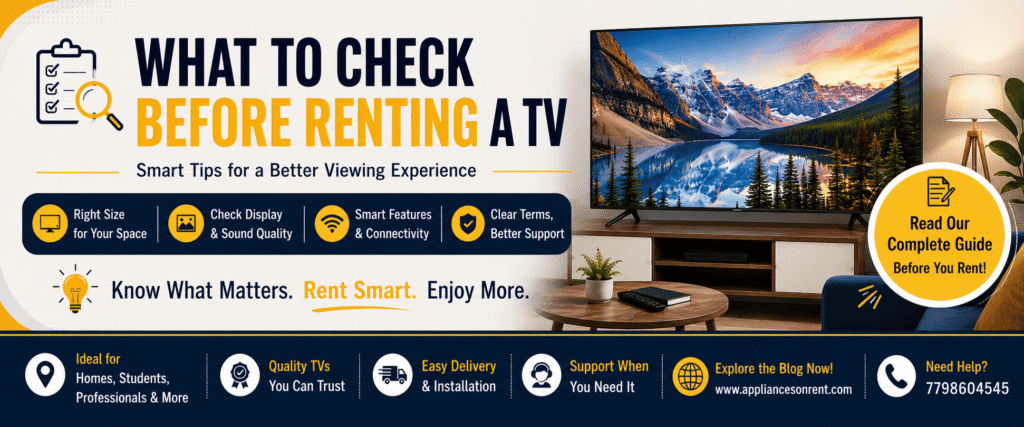
TV on rent can be a very good choice where you can have a very good entertainment experience without investing in buying a good quality new TV because the cost would be high. You could be a student, a working professional, a family, a tenant, or anybody who is staying in Pune temporarily, renting a TV will give you the benefit of enjoying the quality of TV you want.
But, before renting any TV, there are certain aspects that one needs to keep in mind. Selecting a TV only based on its size and its rental cost might lead to unforeseen trouble in the future. Every single thing related to the TV should be kept in mind while renting it.
If you plan on renting an LED TV in Pune or PCMC, then this guide will help you out with it.
1. Check the TV Screen Size
The first aspect to think about is the size of the television itself. What looks good in a showcase may not be appropriate for your room.
Think about the available space on the wall or table as well as the distance from your seating position to the TV. Small apartments will require a small TV, but large living rooms are capable of hosting large screens.
Popular rentals consist of 32 inches, 40 inches, 43 inches, 50 inches, 55 inches, and more LED televisions.
Before you start renting, measure the available space and select the adequate screen size for the comfortable experience
2. Check the Display Quality
The display of the television is among the most significant aspects when renting a television set. A high-quality display can make watching movies, sports, and gaming much better.
Make sure that the television has HD, Full HD, 4K or some other resolution. In case you intend to view some high-resolution movies online, a television with a higher resolution will produce a better picture.
Additionally, check the display for:
- Dead/stuck pixels
- Lines or spots
- Flickering
- Uneven brightness
- Discoloration
- Cracks or any physical damage
Wherever possible, turn the television on and check the display.
3. Check Whether It Is a Smart TV
For those who are constantly using streamers, a Smart TV would be worth considering. These are televisions that are capable of connecting to the internet to access their streaming applications.
The following are some aspects to consider when renting a Smart TV:
- Wi-Fi connectivity
- Applications
- HDMI port(s)
- USB port(s)
- Screen mirroring/casting capabilities
- Operating system
- Remote control
However, if you will only be using the television to watch cable television or just basic entertainment, you do not necessarily need all the features of a Smart TV.
4. Check HDMI and USB Ports
Connectivity is often overlooked when renting a TV.
If you want to connect a set-top box, gaming console, laptop, soundbar, streaming device, or other equipment, make sure the TV has the required ports.
Check the number and condition of:
- HDMI ports
- USB ports
- Audio output
- AV input
- Ethernet port, if required
Also test the ports before accepting the television, especially if you already have devices that need to be connected.
5. Check the Sound Quality
Picture Quality is a must-have when selecting a TV, but Sound Quality can also have an impact on your overall viewing experience.
Play a video and see whether the speakers deliver clear sound at various volume settings. Check for humming, distortion, crackling, and very low sound.
In case you intend to use a soundbar and external speakers, ensure that the TV has the necessary connectivity.
6. Inspect the Physical Condition
Before getting the leased television set, one should examine the state of the equipment very carefully.
One should look at the screen, the frame of the TV, its stand, cables, remote control, and other accessories. One should check for the presence of any scratches, dents, cracks, loose elements, and other damages.
It is always advisable to make some photographs and recordings of the state of the TV upon delivery. This would be especially helpful if one intends to lease the television set for several months.
7. Check the Remote Control
Though the remote control is considered to be a small item, it plays a crucial role in daily usage.
Please verify that all buttons work correctly, including:
- Power
- Volume
- Channel buttons
- Menu
- Input/Source
- Navigation buttons
- Smart TV buttons, if applicable
In case the remote control is broken or any of its buttons do not function, please inform the rental agency about it.
8. Understand the Rental Duration
The different rental companies might offer various rental times. Therefore, before renting, get to know how much time you will have the TV after you book it.
There are people who require a TV for a temporary stay, and there are those who may need it for several months.
Find out how long the TV rental duration is available and if the price for the month depends on the rental period.
In case you do not know the length of stay you will require the TV for, it will be good for you to know how the rental extension works.
9. Check the Total Rental Cost
Don’t choose a rental TV based only on the advertised monthly price.
Ask about the total rental cost, including any applicable:
- Security deposit
- Delivery charges
- Installation charges
- Pickup charges
- Maintenance fees
- Damage-related charges
- Extension or late-return charges
Understanding the complete cost in advance makes it easier to compare rental options and avoid unexpected expenses.
10. Ask About Delivery and Installation
A good rental experience should include convenient delivery and, where applicable, installation support.
Before booking, ask:
- Is home delivery available?
- Is installation included?
- Is wall mounting available?
- Is a TV stand provided?
- How long does delivery take?
- Is pickup provided when the rental period ends?
For customers living in Pune and PCMC, checking whether the rental provider delivers to your particular area can save time during the booking process.
11. Check the TV Stand or Mounting Option
However, all renters do not need to wall-mount their TVs. In case of staying in rented premises such as apartment, hostel, PG, and other temporary accommodations, using floor or table stand TV will be more appropriate.
In case one needs a stand TV, one must first ascertain if the stand is provided with the renting deal.
The stability of the stand should also be ascertained.
12. Understand Maintenance and Support
One great benefit of renting a TV is that you might not need to address all issues yourself.
Before renting, inquire from the supplier on how they will respond when your television encounters any technical issue.
- Find out who to approach for help.
- Are there services of repairing?
- Are all issues covered in this?
- What is the response time for complaints?
- Is replacement possible in case the TV cannot be repaired?
13. Check the Return and Cancellation Policy
Your time renting will eventually come to an end, so learn about the return process prior to making your reservations.
Inquire if you have to schedule your pickup, and if there are any fees that apply if you end up terminating your rental early.
This will make life easier should your plans change
Why Renting a TV Can Be a Smart Choice
A rented TV can be especially useful for people who don’t want to make a large upfront investment.
It can be a practical option for:
- Students living away from home
- Working professionals staying in rented apartments
- Families in temporary accommodation
- People relocating to Pune
- Tenants who don’t want to purchase large appliances
- People planning temporary events or setups
- Customers who want flexibility without long-term ownership
With the right rental provider and a suitable television, you can enjoy a quality entertainment setup without making a permanent purchase.
Conclusion
Rental of a TV is an economical and flexible choice of entertainment where there is no need to own a product permanently. Yet, selecting the appropriate television is not only about making comparisons regarding its monthly rent price.
To select the right option, one should check the following factors – the size of the screen, display quality, the presence of Smart TV technologies, connectivity of the device, the quality of sound, the condition of the television, accessories provided, rental period, overall cost, delivery, installation, maintenance, and return policy. Spending a few minutes on verification will help avoid problems and have an easy and hassle-free rental process.
For those who are seeking a LED TV on rent in Pune & PCMC, one should make a comparison of the requirements and options available to get a perfect choice.